
Download the
Noki Exchange App
Ready to begin? Follow the steps below!
Download the
Noki Exchange App
Ready to begin? Follow the steps below!
How Noki Works
Secure your keys and say goodbye to key lockboxes!
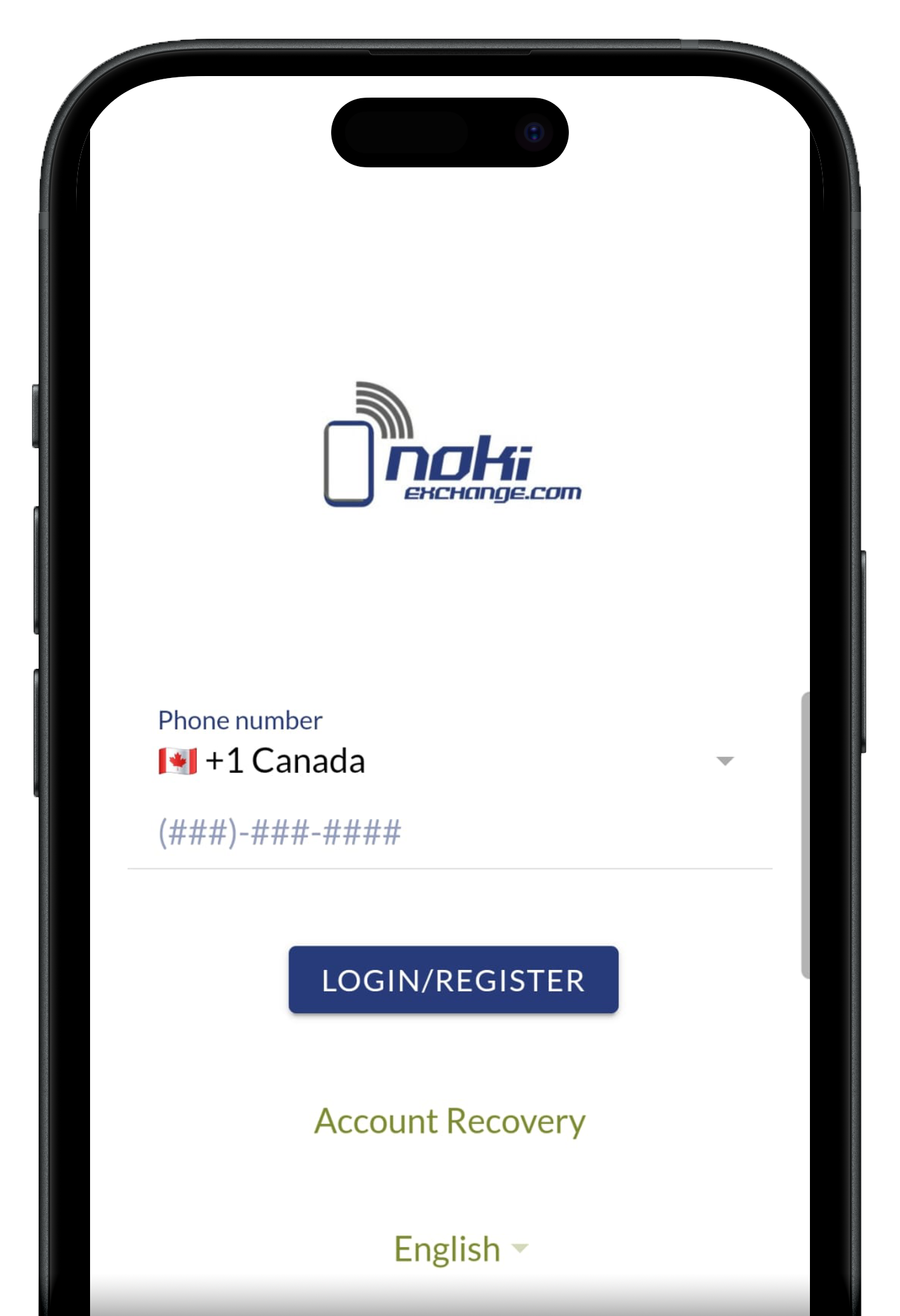
Step 2: Register
Enter your phone number and click Register to create your account.
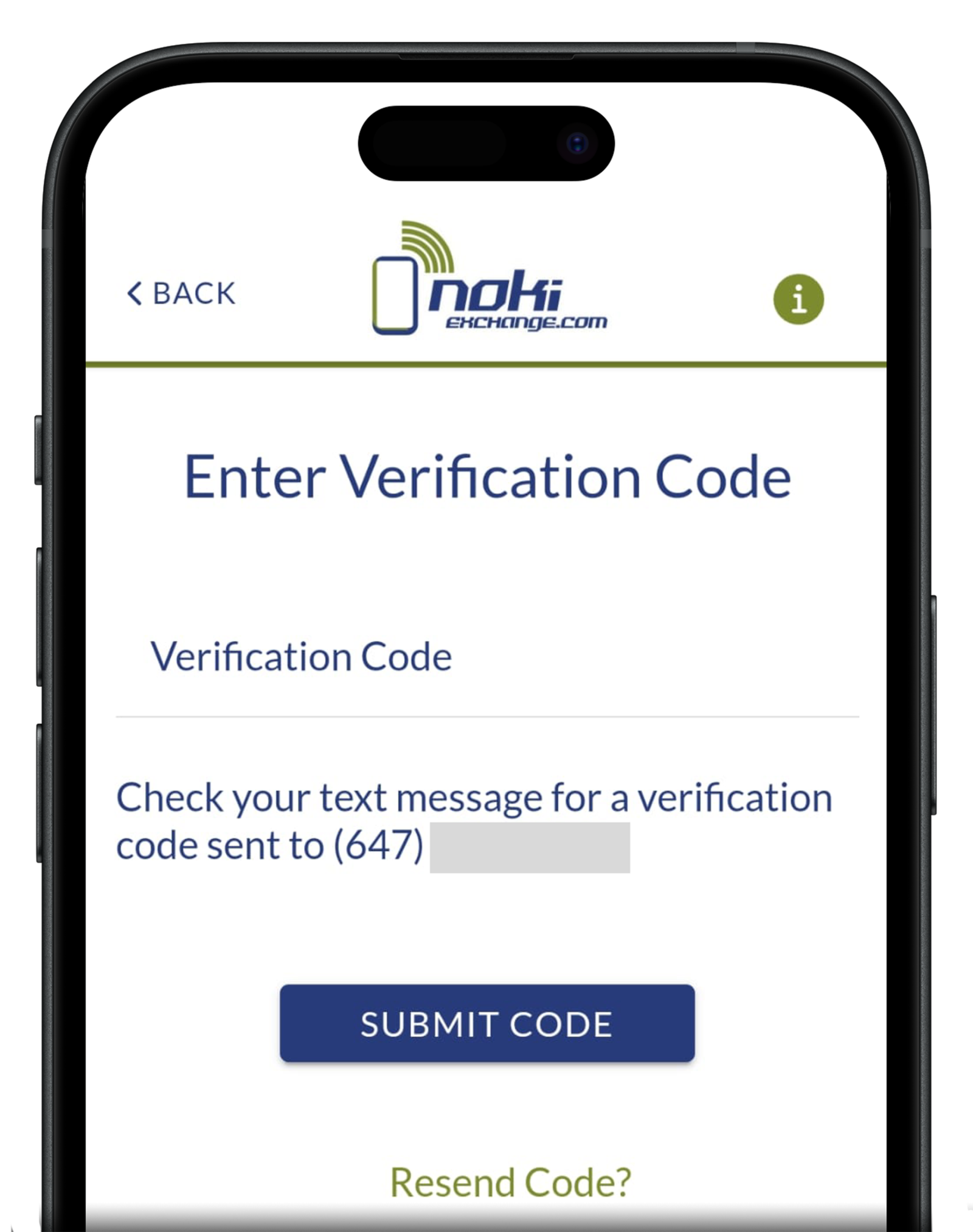
Step 3: Enter Your Verification Code
Check your text message for a verification code.
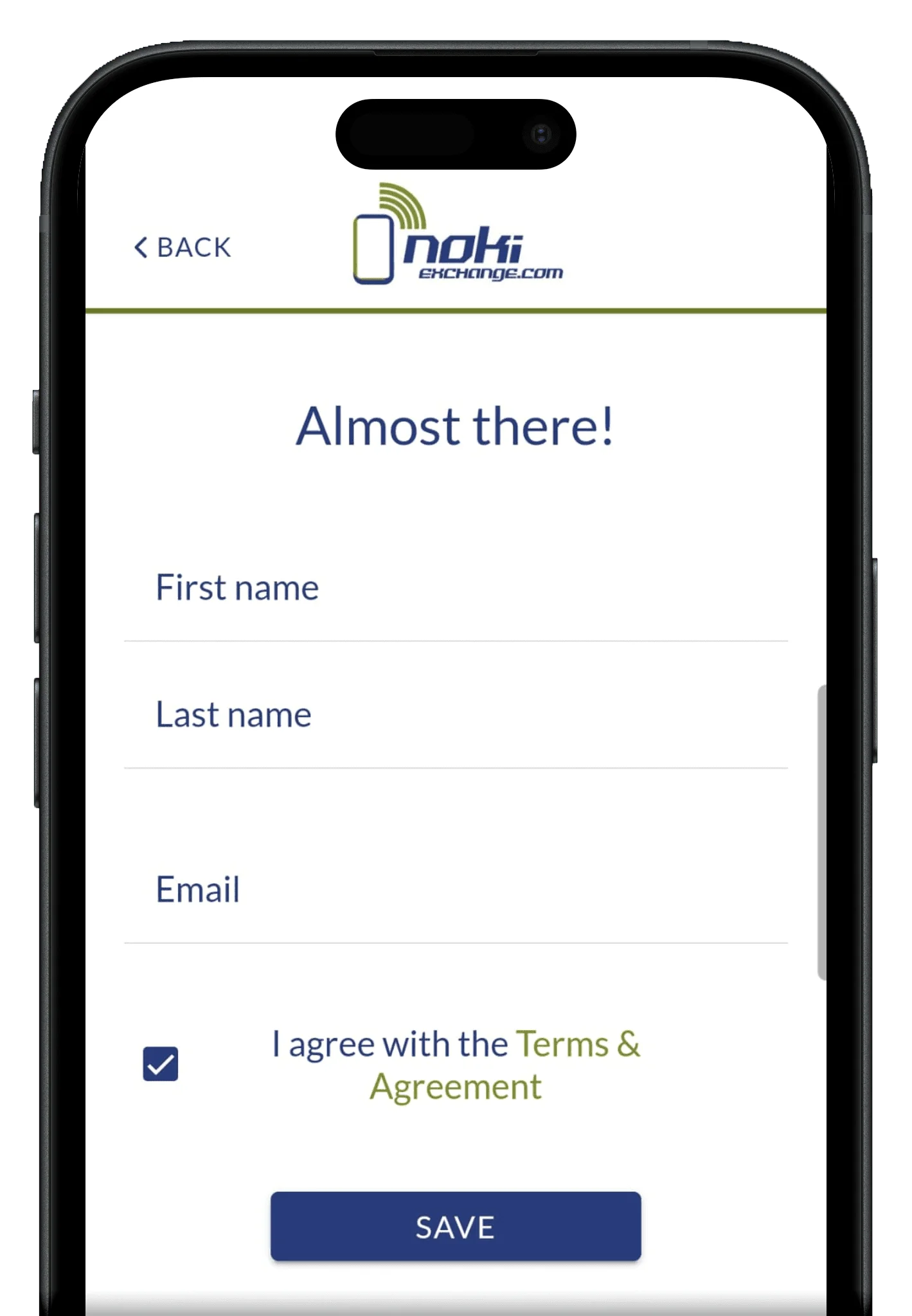
Step 4: Create Account
Enter your details, select the box to agree to Terms & Agreement and click Save.
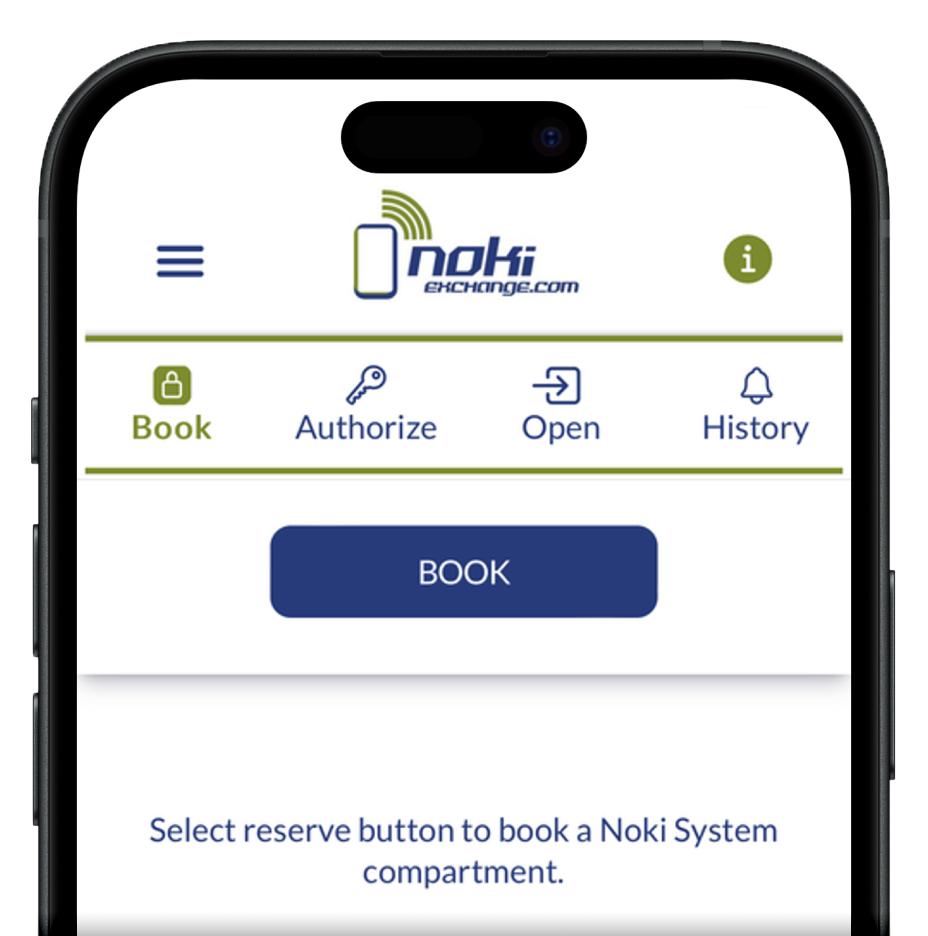
Step 5: Book A Compartment
Select Book under the Book tab
- Enter the Noki System number
- Assign name
- Select payment frequency
- Agree to terms
- Tap Submit
Find Noki System Number
Enter the Noki System Number found on the system’s screen at that location.
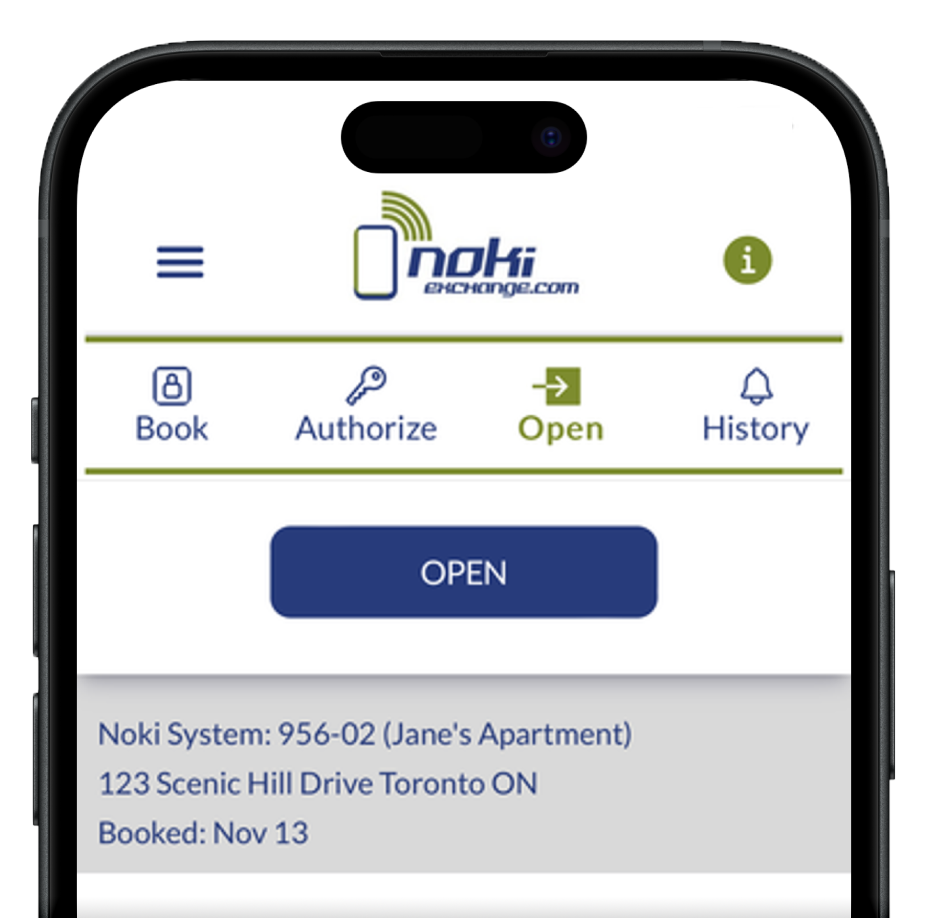
Step 6: Open Compartment
Select the Open tab
- View your current booking, or choose an active booking if you have multiple.
- Tap Open to send the request instantly to the system.
- Use Personal Passcode if you prefer to enter it manually.
- Close the door after use.
Personal Passcode
This a confidential passcode for personal use. Do not share! To create a shareable passcode, go the Authorization tab to generate a trackable code.
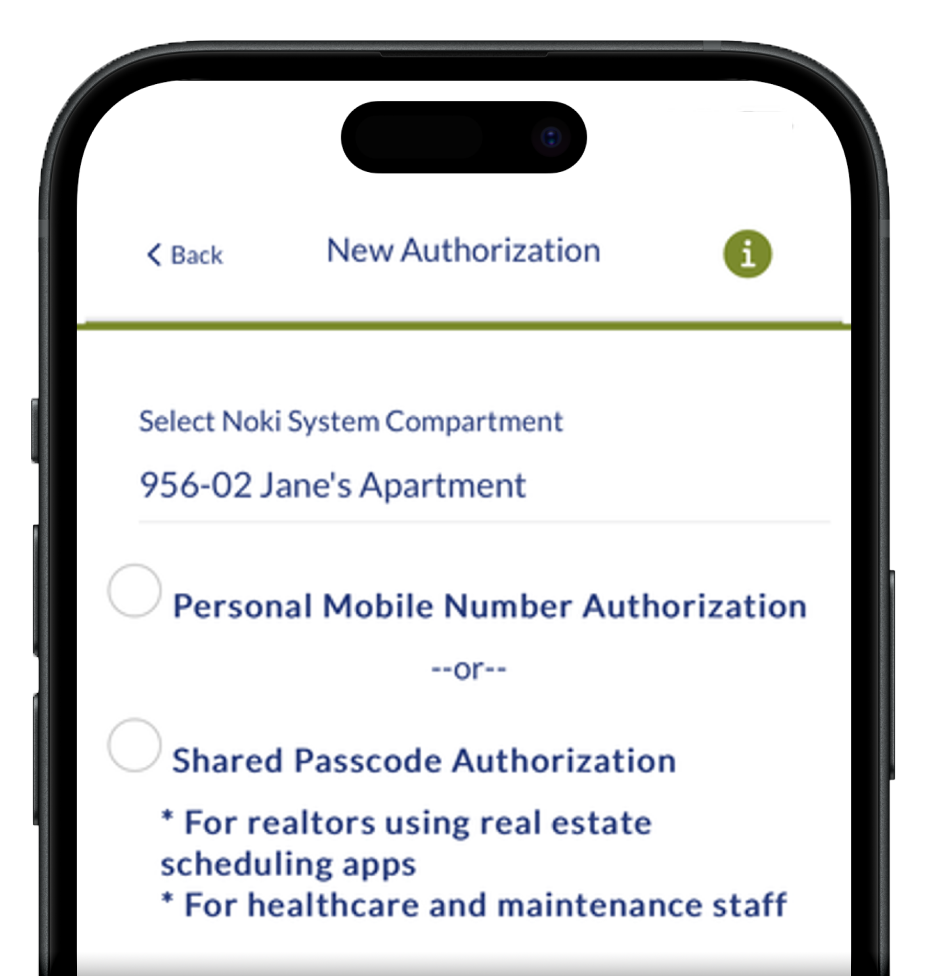
Step 7: Authorize Users
Select the Authorization tab and chose one of these options
- Personal Passcodes for scheduling one-time individuals by date and time.
- hared Passcodes allow multiple users to access the system using a single, fixed code. Each use is tracked by name and time for added visibility.
- For added security, we recommend shared passcodes be changed once a month via mobile app, selecting the active passcode and choosing change passcode.
Scheduling
Control user access by date, time and duration.
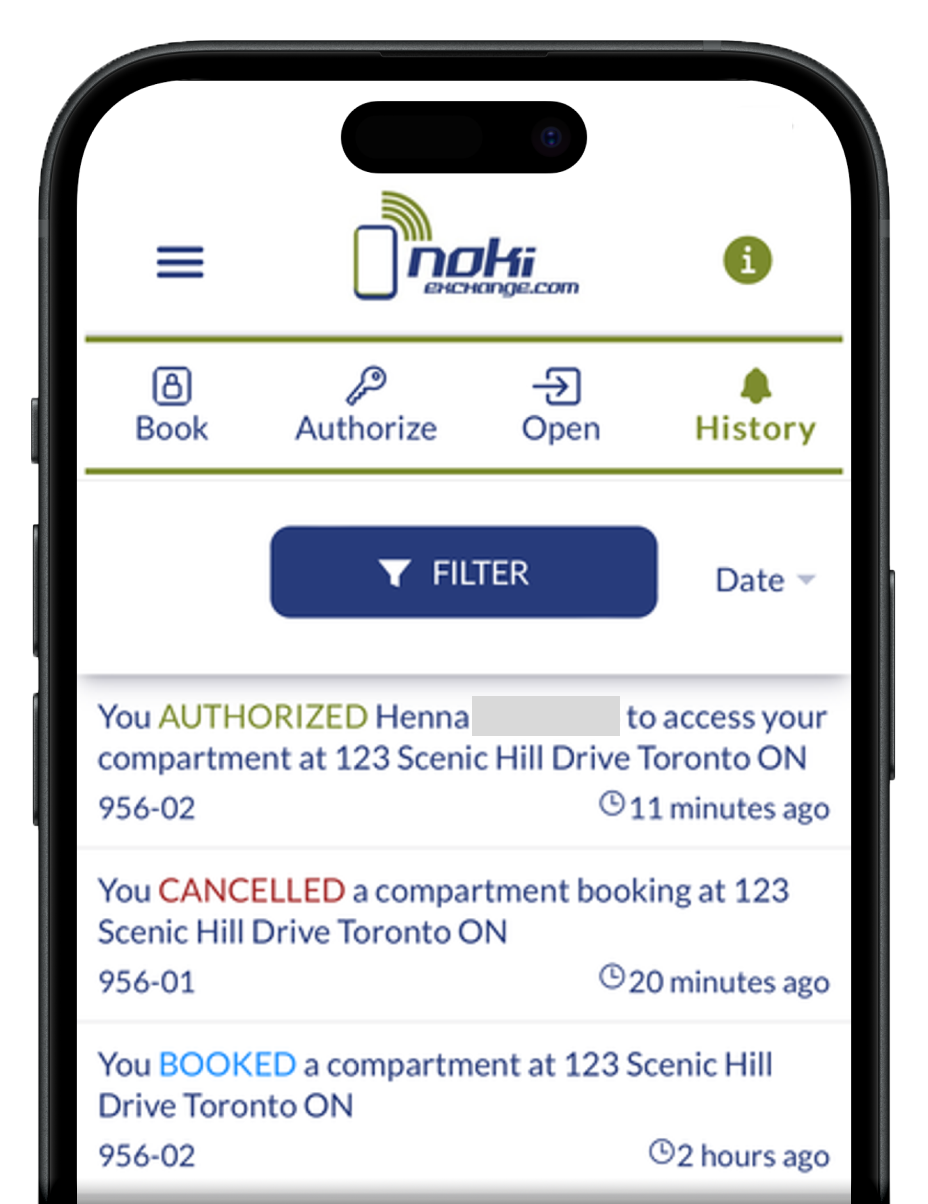
Step 8: Track
Select the History tab, scroll to view all logged compartment actions, and use the filter at the top to sort view.
Frequently Asked Questions
Benefits
Why is the condo doing this?
With more theft and vandalism activity, they need a discreet, secure and trackable system.
How does this help me?
The app gives real-time updates, easy authorizations, history/receipts and saves you trips to the building.
Why is tracking important?
Our system tracks non-residents to prevent theft and monitor activity, ensuring a safer environment for everyone.
With more theft and vandalism activity, they need a discreet, secure and trackable system.
How does this help me?
The app gives real-time updates, easy authorizations, history/receipts and saves you trips to the building.
Why is tracking important?
Our system tracks non-residents to prevent theft and monitor activity, ensuring a safer environment for everyone.
Booking a compartment
How does it work?
1.Book compartment (Book Tab)
2.Insert key (Open Tab)
3.Create authorization (Auth Tab)
4.Share passcode
How do I book?
Tap ‘Book’ under the Book tab.
Where can I find the system number?
It’s found on the actual system at that location.
How do I insert my key?
Under the Open tab, select your booking and tap ‘Open.’ The request will be sent to the system.
Why do I have a passcode?
This is your personal code, in case your phone doesn’t have internet connection to tap ‘Open’.
Can I share my own passcode?
Don’t share this; it only tracks your use. Create an authorization instead.
Will my booking auto-renew?
Yes, it will auto-renew at the same rate unless you booked for multiple months at which point it will renew monthly at the discounted rate.
1.Book compartment (Book Tab)
2.Insert key (Open Tab)
3.Create authorization (Auth Tab)
4.Share passcode
How do I book?
Tap ‘Book’ under the Book tab.
Where can I find the system number?
It’s found on the actual system at that location.
How do I insert my key?
Under the Open tab, select your booking and tap ‘Open.’ The request will be sent to the system.
Why do I have a passcode?
This is your personal code, in case your phone doesn’t have internet connection to tap ‘Open’.
Can I share my own passcode?
Don’t share this; it only tracks your use. Create an authorization instead.
Will my booking auto-renew?
Yes, it will auto-renew at the same rate unless you booked for multiple months at which point it will renew monthly at the discounted rate.
How do I cancel my booking?
Tap your active compartment under the Book tab, then click ‘End Booking’ at the bottom. Make sure to remove all contents first to avoid losing them. Noki is not responsible for any loss.
Authorizing Users
How do I authorize others?
Tap ‘Authorize’ under the Auth tab.
What’s the difference between a personal authorization and a shared passcode?
Use a personal auth for one person using their mobile number and a shared passcode for multiple people, like realtors, healthcare or cleaners.
How is shared passcode tracked?
Each person must enter their name before opening or returning the key.
How do I share this info?
The personal auth is sent immediately. For shared passcode, tap ‘Active Passcode’ under auth, click ‘Copy Info’ to save the instructions, and share as needed (e.g., BrokerBay).
How does a person access my key and return it?
1.Tap ‘Open Compartment’ at the system
2.Enter the passcode
3.Enter their name
4.Tap ‘Open or return key’
5.Close compartment door
Do the authorized individuals need to download an app to open it?
No app is needed! Just follow the screens at the system.
Should they close the door when taking the key?
Yes. Keep the door closed to avoid mix-ups. Noki isn’t responsible for lost keys.
Tap ‘Authorize’ under the Auth tab.
What’s the difference between a personal authorization and a shared passcode?
Use a personal auth for one person using their mobile number and a shared passcode for multiple people, like realtors, healthcare or cleaners.
How is shared passcode tracked?
Each person must enter their name before opening or returning the key.
How do I share this info?
The personal auth is sent immediately. For shared passcode, tap ‘Active Passcode’ under auth, click ‘Copy Info’ to save the instructions, and share as needed (e.g., BrokerBay).
How does a person access my key and return it?
1.Tap ‘Open Compartment’ at the system
2.Enter the passcode
3.Enter their name
4.Tap ‘Open or return key’
5.Close compartment door
Do the authorized individuals need to download an app to open it?
No app is needed! Just follow the screens at the system.
Should they close the door when taking the key?
Yes. Keep the door closed to avoid mix-ups. Noki isn’t responsible for lost keys.
Account Settings
What payment methods do you accept?
Both credit and debit are accepted.
Is my information secure?
Your privacy is important to us. We use advanced security measures to verify and protect your personal information. Your data is encrypted and securely stored, so you can use our app with peace of mind. Your payment information is managed by Stripe, an industry leader in processing payments. We do not retain your payment information.
Both credit and debit are accepted.
Is my information secure?
Your privacy is important to us. We use advanced security measures to verify and protect your personal information. Your data is encrypted and securely stored, so you can use our app with peace of mind. Your payment information is managed by Stripe, an industry leader in processing payments. We do not retain your payment information.
Support
How do I report an issue or request assistance?
You can email us at support@nokisystems.com or call +1 (778) 682-NOKI (6654). Our team is available Monday to Friday, 8:00am – 6:00pm EST.
You can email us at support@nokisystems.com or call +1 (778) 682-NOKI (6654). Our team is available Monday to Friday, 8:00am – 6:00pm EST.
Copyright 2026 © All rights Reserved - Noki System Inc.