

A standard key fob entry system is designed to secure exterior doors, but it falls short when managing physical credentials. Whether you manage a key fob system for business operations or a single facility, visibility disappears the moment a master key, shared fob, or contractor credential leaves the cabinet.
Without a structured, audited process, operations teams face an accountability gap: missing credentials, untracked pass-offs, and manual sign-out sheets that no one keeps up with. Managing shared keys and access fobs across one location or fifty requires moving from informal pass-offs to a controlled exchange system.
To prevent accountability gaps and credential loss, leading facilities align their asset governance policies with physical security guidelines established by ASIS International.
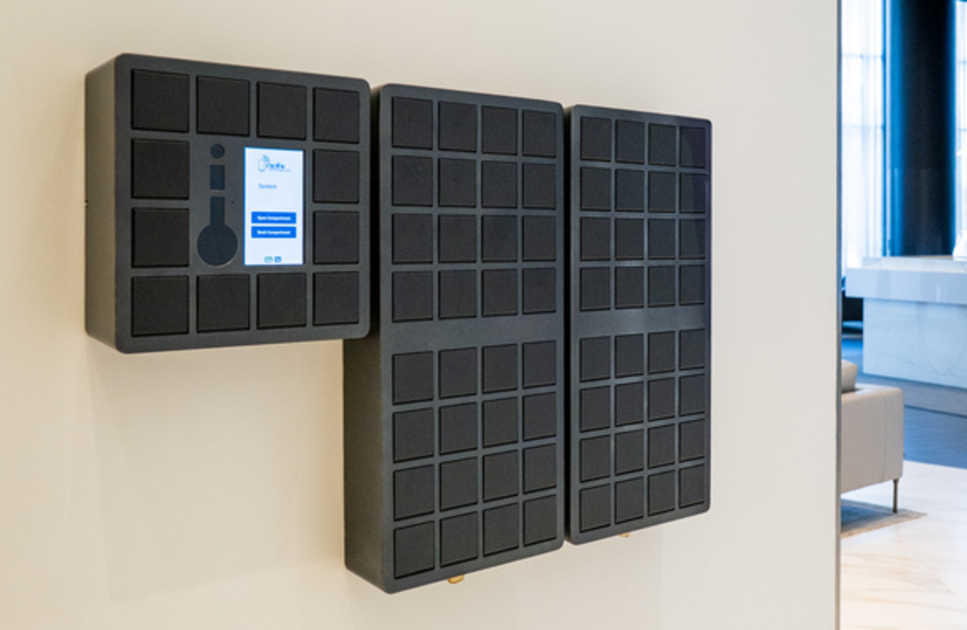
Why Door Access Control Alone Isn’t Enough
A key fob entry system answers an important security question: Who is allowed to enter? But for many facilities, that is only the first layer of physical access control.
Once an authorized person enters the building, they may still need access to a master key, vehicle key, equipment key, or another physical credential. That second stage is often managed informally. A key may be handed to a contractor, left at a reception desk, or placed in a drawer for the next shift. The door access system has no way to record what happened to that physical asset.
This creates two separate records that do not necessarily connect with each other. The access control system can show when someone entered the building, while a paper log or spreadsheet may be the only record showing who took a key. If those records are incomplete, administrators have to reconstruct the sequence manually.
A controlled key management process closes this gap by creating a record for the physical credential itself. Instead of treating the key or fob as an extension of the door access system, it becomes a managed asset with its own access permissions, checkout history, and return status. This distinction becomes especially important when the same credentials are shared between employees, contractors, maintenance teams, or different shifts.
Where Key Fob Management Becomes Difficult at Scale
A process that works for a single building can become difficult when the number of users, credentials, or locations increases.
Consider a property management company responsible for several buildings. Each site may have its own master keys, amenity fobs, contractor credentials, and vehicle keys. A local manager may know who has each item today, but maintaining that visibility across multiple sites becomes increasingly dependent on manual communication.
The same issue appears in other environments.
A construction company may have keys moving between site supervisors and contractors. A fleet operation may have dozens of vehicle keys being checked out throughout the day. A facilities team may maintain shared access credentials for maintenance rooms, equipment areas, and restricted spaces.
The problem isn’t necessarily the number of credentials. It’s the number of transactions involving those credentials.
Every additional checkout, return, handoff, employee, contractor, and location creates another opportunity for information to be missed. A structured key management process gives those transactions a consistent workflow. Instead of asking each department to maintain its own method, organizations can establish defined rules for who can access an item, how long it can remain checked out, and what happens when it isn’t returned.
Understanding the Accountability Gap
Access control systems excel at controlling perimeter entry points. When an employee taps a credential against a wall-mounted reader, the system records who opened that specific door frame. However, standard access control cannot track physical items once someone steps inside.
This blind spot creates significant operational risks:
- Unverified Handoffs: Knowing a contractor entered a building at 8:00 AM doesn’t tell you who currently holds the master key set they picked up inside.
- Unnoticed Missing Credentials: If a vehicle key or amenity fob isn’t returned at the end of a shift, administrators often don’t realize it’s missing until the next person needs it.
- Administrative Overhead: Relying on paper logbooks or spreadsheets forces staff to manually cross-reference checkouts, leading to missing data and unrecorded returns.
Step 1: Audit Your High-Risk Credentials
Start by identifying every physical credential that passes between multiple people throughout the week. Unsecured, unmanaged items are your largest liability.
- High-turnover sets: Contractor keys and shared fobs tied to your key fob entry system that leave the facility daily.
- Master credentials: Building master keys and high-level access cards.
- Shared operational assets: Vehicle keys, amenity passes, and equipment credentials.
Step 2: Implement the Noki Systems Process

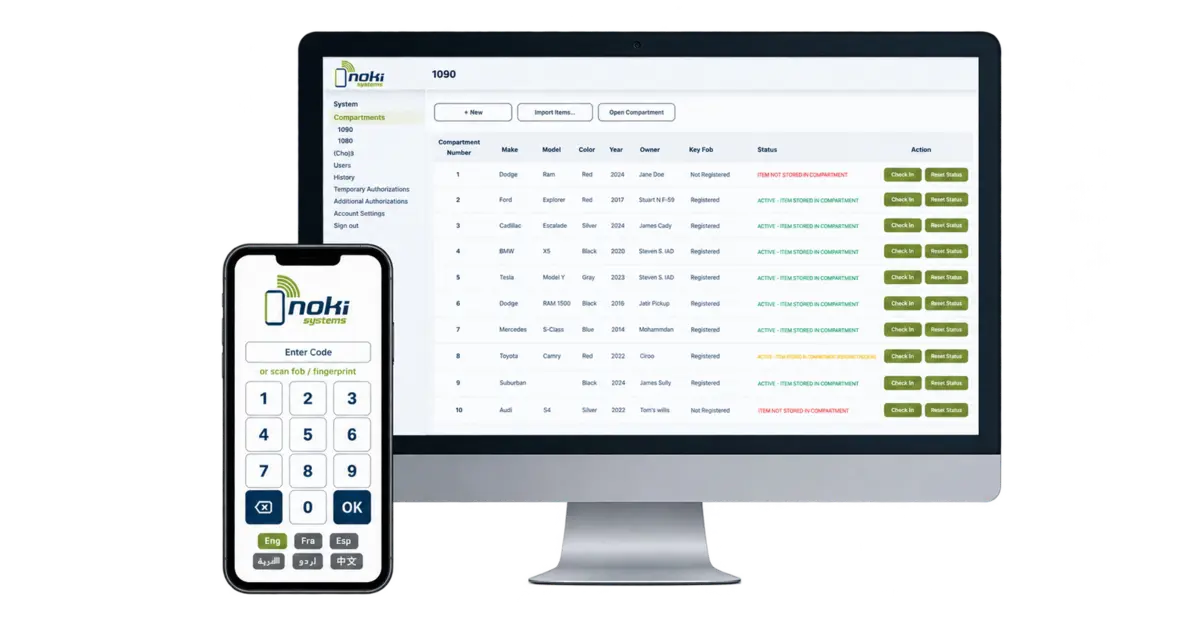
When keys and fobs pass from person to person without an automated log, accountability vanishes. Connecting your physical asset workflow to your key fob entry system ensures that every single exchange – checkout and return – is authenticated and recorded.
- Book: The user reserves the compartment containing the required key or fob.
- Authenticate: A unique passcode is generated for the user and assigned compartment.
- Access: The user unlocks the compartment, retrieves the credential, and returns it to the same spot when finished.
- Log: The system automatically logs who took the item, down to the minute, and when it was returned.
Step 3: Set Automated Overdue Alerts
Manual sign-out sheets rely on memory, meaning a missing key often isn’t noticed until hours or days later. With the Noki Systems framework, you establish firm return windows for each physical asset. If an item isn’t back on time, automated alerts notify administrators immediately, allowing you to resolve the issue before a missing key becomes a security incident.
Step 4: Control Permissions per Person and Item
Not every team member or contractor needs access to every credential. Just as a commercial key fob entry system restricts door access based on shift schedules or user roles, Noki applies those same granular permissions to physical key storage. Define permissions by role, shift, or location so individuals can only check out the specific items they need. When a contractor finishes a job or an employee leaves, revoking access takes seconds, preventing unauthorized exchanges.
Step 5: Centralize Multi-Site Visibility
Managing key and fob exchanges across multiple facilities shouldn’t mean checking separate logs or calling site managers. Connecting your key management hardware to Noki centralizes control across every cabinet, user, and location.
While your primary key fob access system secures your doorways, managing every exchange through Noki gives leadership full visibility into active checkouts, pending returns, and complete audit reports across all locations simultaneously.
Integrating Key Management With Existing Access Control
Replacing an existing key fob entry system is not necessarily the goal.
In many facilities, door access control and key management perform different jobs and work best when used together. The door system controls movement through designated entry points, while the key management system controls access to the physical credentials used within the facility.
This creates a layered approach to physical security. For example, an employee may use their authorized fob to enter a maintenance area. If that employee also needs a restricted master key, the key management system can independently verify whether they have permission to retrieve it. The two systems therefore address different stages of the same workflow.
Key Fob Entry System vs. Noki Key Management
Standard door access controls handle perimeter security, while Noki manages physical asset accountability after someone enters.
| Feature / Capability | Standard Key Fob Entry System | Noki Electronic Key Cabinet |
|---|---|---|
| Primary Focus | Securing door frames, gates, and entry point | Securing and tracking shared physical credentials |
| Event Logging | Logs scans at wall-mounted door readers | Logs exact checkout and return timestamps per item |
| Asset Tracking | Cannot track physical items once inside | Maintains real-time accountability for keys, fobs, and cards |
| Overdue Monitoring | N/A | Sends automatic alerts for unreturned assets |
Frequently Asked Questions
Does a key management cabinet replace our existing door readers?
No. Key management cabinets work alongside your existing door entry infrastructure. While your door readers handle perimeter access, key cabinets manage and track the physical keys, fobs, and access cards used inside your facilities.
What types of assets can be managed in a Noki cabinet?
Noki compartments accommodate physical keys, RFID key fobs, access cards, master key sets, and fleet vehicle keys. Multiple item types can be managed together within the same cabinet platform.
Take Control of Your Credential Exchanges
Your building’s key fob door entry system controls the door, but automated key cabinets ensure complete control over the physical keys and fobs that open them.
Ready to close the accountability gap across your sites?